
How to Delete Instagram Account You have made up your mind. Maybe it is the endless scroll, the privacy concerns, the mental health toll, or you simply want a digital detox. Whatever your reason, deleting your Instagram account is a big step and this guide walks you through every detail, including things most other guides completely skip.
We cover how to delete your Instagram account on every device, how to save your data first, what happens to your posts and DMs, what to do if you have been hacked, and much more. Let’s get into it.
Download Your Instagram Data Before Deleting
Before you hit delete, grab a copy of all your photos, videos, messages, and account data. Once your account is gone, so is everything. Here’s how to download it:
On Mobile (iPhone or Android)
- Open Instagram and tap your profile picture at the bottom right.
- Tap the three horizontal lines (menu) at the top right.
- Go to Settings & Privacy → Account → Your activity.
- Scroll down and tap Download your information.
- Enter your email address and tap Request a download.
- Choose All available information and select HTML or JSON format.
- Instagram will email you a link within 48 hours.
On Desktop (Browser)
- Log into Instagram on your browser.
- Click your profile icon at the top right, then click Settings.
- Select Accounts Center → Your information and permissions.
- Click Download your information and follow the on-screen steps.
Pro Tip: Always download your data in HTML format if you want it to be easy to read. JSON is better if you plan to import data into another app.
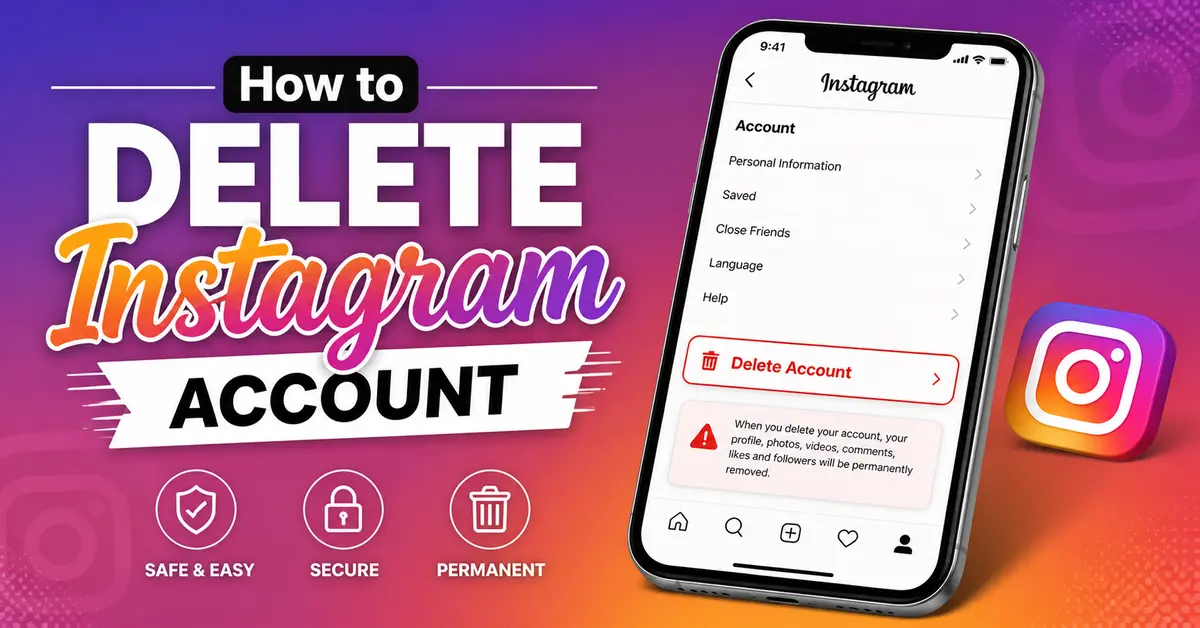
How to Delete Your Instagram Account All Devices
Instagram does not let you permanently delete your account from inside the app on mobile. You must use a browser. Here are the exact steps for every platform.
Method 1: Delete on Desktop
- Open your browser and go to instagram.com. Log in.
- Click your profile photo at the top right, then click Settings.
- Click Accounts Center at the top.
- Select Personal details → Account ownership and control.
- Click Deactivation or deletion, then choose the account you want to delete.
- Select Delete account, then click Continue.
- Follow the remaining prompts. Instagram will ask you why you are leaving and may offer you alternatives.
- Enter your password to confirm, then click Delete account.
Warning: Deletion is not instant. Instagram keeps your account recoverable for 30 days. After 30 days, it is permanently and irreversibly gone.
Method 2: Delete on iPhone (iOS)
- Open Safari or any browser on your iPhone (not the Instagram app).
- Go to instagram.com and log in.
- Tap your profile photo → Settings → Accounts Center.
- Tap Personal details → Account ownership and control.
- Tap Deactivation or deletion → select your account → Delete account.
- Follow the prompts and confirm with your password.
Pro Tip: You cannot delete your account from the Instagram app on iPhone because Apple’s App Store guidelines do not allow it. Always use a browser.
Method 3: Delete on Android
- Open Chrome or any browser on your Android phone.
- Go to instagram.com and log in.
- Follow the same steps as the desktop method above.
- Confirm deletion with your password.
Alternatively, Android users can also delete from within the Instagram app:
- Tap your profile → Menu (three lines) → Settings & privacy → Account → Delete account.
- Follow the prompts and confirm.
Delete vs. Deactivate Which One Should You Choose?
Many people confuse deletion with deactivation. They are very different. Here is a clear breakdown:
| Feature | Deactivation | Permanent Deletion |
| Your profile visibility | Hidden from others | Completely removed |
| Your photos & videos | Saved, hidden temporarily | Permanently deleted |
| Can you reactivate? | Yes, anytime | No, after 30 days |
| DMs to others | Hidden but recoverable | Deleted permanently |
| Username | Reserved for you | Released for others to use |
| Time to take effect | Immediate | 30-day grace period |
If you are unsure, try deactivating first for 30 days. If you do not miss Instagram after a month, go ahead and delete permanently.
How to Deactivate Your Instagram Account (Temporary Break)
- Log into Instagram on a browser.
- Go to Settings → Accounts Center → Personal details → Account ownership and control.
- Click Deactivation or deletion → select your account.
- Choose Deactivate account and select how long you want to deactivate it.
- Enter your password and confirm.
Your profile will be hidden. Log back in at any time to reactivate it instantly.
What Happens After You Delete Your Instagram Account?
This is the part most guides rush through. Here is exactly what happens, step by step:
- 30-day recovery window: Your account enters a “pending deletion” phase. During this time, you can log back in and cancel the deletion if you change your mind.
- After 30 days: Your profile, photos, videos, reels, stories, highlights, and comments are permanently deleted.
- Your DMs: Your messages disappear from your end, but the people you messaged may still see them in their inbox. Instagram does not delete DMs from other users’ accounts.
- Tagged photos: Photos others tagged you in remain on Instagram. Your tag is removed, but the photo stays on their profile.
- Your username: It becomes available after deletion — someone else can register it. If your username matters to you, note that there is no way to permanently reserve it.
- Your data on Meta’s servers: Some information may persist in Meta’s systems for legal and compliance reasons, even after the 30-day period ends.
How to Delete a Hacked Instagram Account
This is a scenario competitors almost never cover — but it happens all the time.
If You Can Still Access Your Email or Phone Number
- Go to instagram.com and click Forgot password.
- Use your email or phone to get a login link.
- Reset your password, then log in.
- Go to Settings → Security → Login activity, and log out of all unknown devices.
- Then proceed with the standard deletion steps above.
If You Have Lost Access Completely
- Go to instagram.com/hacked or the Instagram Help Center.
- Select “I can’t access this email or phone number.”
- Instagram will walk you through identity verification using a selfie video.
- Once you recover access, delete the account immediately.
Pro Tip: After regaining access to a hacked account, always revoke any suspicious third-party apps connected to Instagram before deleting. Go to Settings → Apps and Websites → Active to see and remove them.
Revoke Third-Party App Access Before You Delete
If you used your Instagram login to sign up for other apps (Canva, Spotify, games, etc.), those connections should be removed before deletion. Otherwise, those apps may stop working.
- Go to your Instagram Settings.
- Tap Apps and Websites.
- Under Active, review every connected app.
- Tap any app and select Remove to revoke access.
Alternatively, go directly to those apps and disconnect Instagram from their settings, then create a separate login.
Special Considerations for Business and Creator Accounts
If you run a business or creator account on Instagram, there are a few extra things to handle before deleting:
- Facebook Page link: If your Instagram is connected to a Facebook Page, unlinking it first prevents disruption to your Facebook presence. Go to Settings → Accounts Center and remove the link.
- Instagram Shop: If you have an active Instagram Shop, your products and catalog data may also be affected. Review your Commerce Manager settings on Facebook/Meta.
- Active ads: Cancel or pause any running ad campaigns in Meta Ads Manager before deletion to avoid charges.
- Insights data: Download your account insights report from Professional Dashboard before deleting, as this data is not included in the standard data download.
- Collaborators: Inform any brand partners or agencies you work with, as access to your account will be lost.
Troubleshooting: Common Problems When Deleting Instagram
Problem I Cannot Find the Delete Option
Instagram moved the deletion option inside Accounts Center in 2023. You will not find a direct “Delete account” button in the old Settings menu. Always navigate to: Settings → Accounts Center → Personal details → Account ownership and control.
Problem: I Forgot My Password”
Click Forgot password on the login screen. Instagram will send a reset link to your registered email or phone. If you no longer have access to that email or phone, use the “Need more help?” option which allows identity verification.
Problem: The Delete Option Is Greyed Out or Not Working”
This can happen if you recently changed your password or enabled two-factor authentication. Wait 24 hours after any security changes, then try again. Also ensure you are using a browser, not the app on iOS.
Problem: I Get Logged Out Before I Can Delete
Clear your browser cookies, then log in fresh and complete the deletion process in one sitting without navigating away.
What to Do After Deleting Your Instagram Account
Deleting Instagram can feel liberating but here are some smart next steps:
- Check for data brokers: Your public Instagram data (bio, photos, username) may still appear on third-party sites. Search for yourself and request removal from any data broker websites.
- Review connected accounts: Some apps allowed “Login with Instagram.” Update those accounts with a new login method.
- Consider a digital detox: Research consistently shows that reducing social media use lowers anxiety and improves focus. Use the time for activities that bring genuine satisfaction.
- Alternatives to Instagram: If you still want to share photos, consider platforms with stronger privacy policies such as Glass (photographer community), Pixelfed (open-source, no ads), or simply sharing via private messaging apps.
Frequently Asked Questions
Can I delete my Instagram account permanently from the app?
On Android yes you can delete from the app. On iPhone/iO no Apple’s App Store rules require you to use a browser (safari or chrome) to delete. Go to instagram.com on your phone’s browser
Does deleting Instagram delete my Facebook account?
No. Instagram and Facebook are separate accounts even though both are owned by Meta. Deleting Instagram does not affect your Facebook account, and vice versa. However, they may be linked in Accounts Center deleting one does not delete the other
How long does Instagram keep my data after I delete my account?
Instagram says most data is deleted within 90 days after the 30 day grace period. However, some information (such as messages you sent to others and certain legal records) may be retained longer in accordance with Meta’s data policy and applicable law
Will deleting Instagram remove my messages from others’ inboxes?
No Your sent messages remain visible in the recipient’s inbox Deleting your account only removes your profile content and your copy of the conversation Other people’s copies of your DMs remain
What if I change my mind after deleting?
You have exactly 30 days to change your mind Simply log back into Instagram within that window and choose Cancel deletion. After 30 days the deletion is permanent and cannot be undone
Can I delete one Instagram account while keeping another?
Yes If you have multiple Instagram accounts you can delete them individually During the deletion process Instagram will ask you to select which specific account you want to delete so your other accounts are not affected
Final Thoughts
Deleting your Instagram account is a personal decision and now you have everything you need to do it with confidence. Whether you are stepping away for mental health, privacy, or simply a change of lifestyle, the process is straightforward when you know the right steps.