
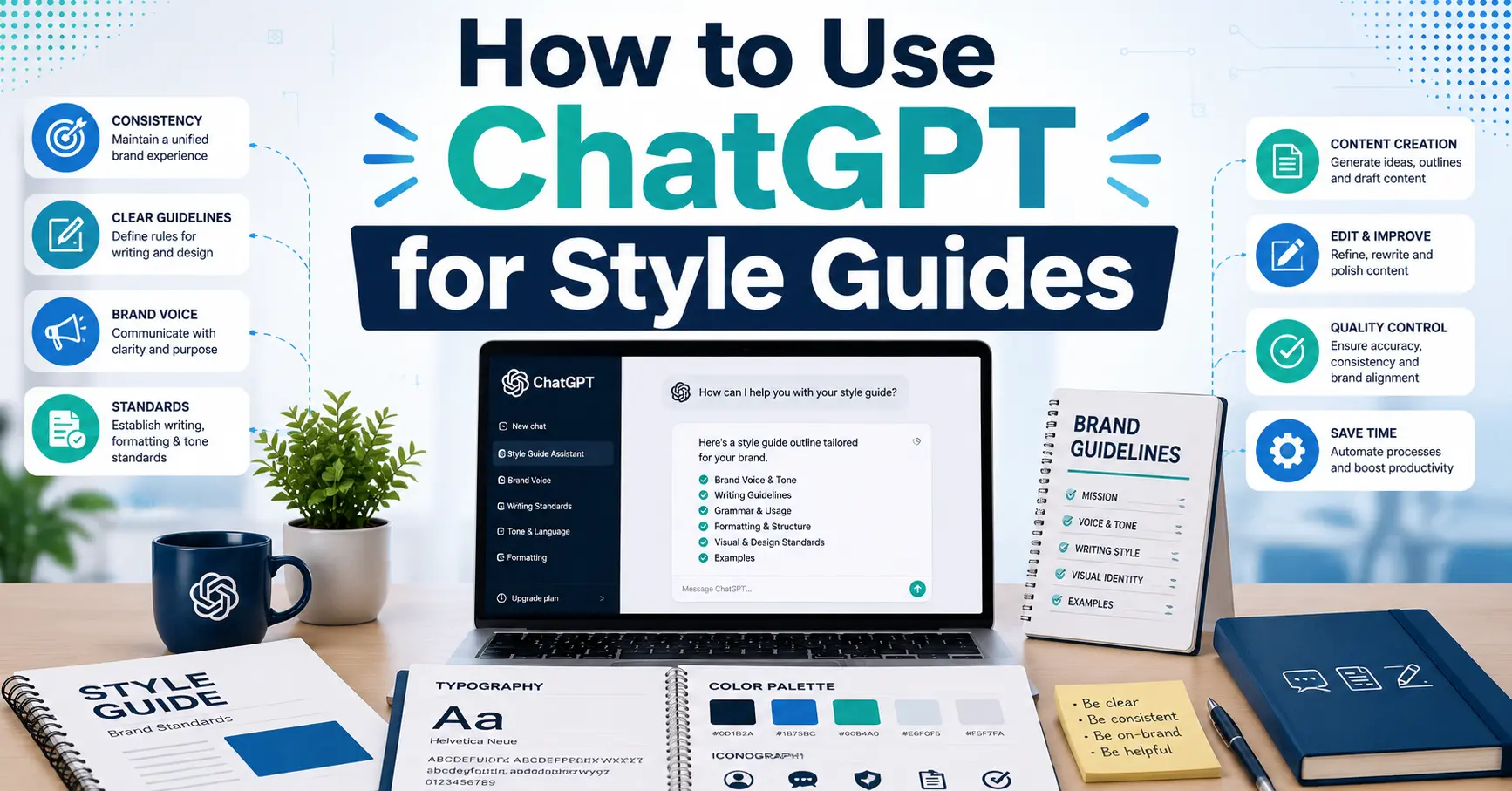
How to Use ChatGPT for Style Guides can help writers marketers designers and businesses create consistent content without spending countless hours documenting rules manually. A style guide defines your brand voice tone formatting preferences and writing standards ensuring that every piece of content follows the same direction.
Creating a style guide from scratch can be challenging especially when you need to analyze existing content identify patterns and organize everything into a clear framework. Fortunately ChatGPT can simplify this process by helping you analyze writing samples generate guidelines and build a structured style guide faster and more efficiently.
In this guide you will learn how to use ChatGPT for style guides with practical steps useful prompts real examples and best practices to maintain consistency across all your content.
What Is a Style Guide and Why Does It Matter
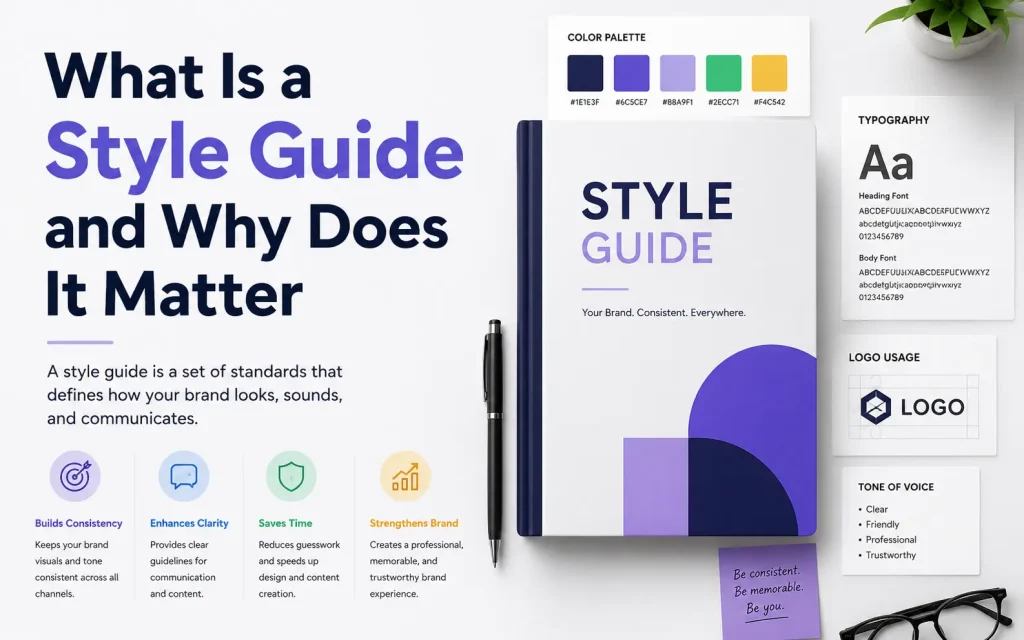
A style guide is a documented set of rules that defines how your brand communicates and presents itself. It removes guesswork for anyone who writes, designs, or creates content in your name.
There are three main types of style guides, and each serves a different purpose:
- Writing and brand voice guides define tone, language preferences, vocabulary choices, personality traits, and the emotional feeling you want readers to walk away with.
- Editorial style guides cover the practical, mechanical rules: grammar conventions, punctuation decisions, capitalization preferences, formatting rules, and how to handle specific scenarios like dates, numbers, and acronyms.
- Design system style guides document the visual language of a product or brand, including color palettes, typography scales, spacing rules, UI component behavior, accessibility standards, and layout grids.
Most organizations need some version of all three. Individuals usually start with the first two. Designers and product teams focus heavily on the third. This guide covers all of them.
What ChatGPT Can and Cannot Do for Your Style Guide
Before you start, it helps to be clear-eyed about what ChatGPT is genuinely good at and where it has real limitations.
Where ChatGPT genuinely excels
ChatGPT is remarkably good at reading large amounts of your writing and pulling out patterns you might never have noticed yourself. It can identify sentence rhythm, transition habits.
tone descriptors, structural preferences, and vocabulary tendencies, all things that feel intuitive when you write but are hard to articulate explicitly.
It is also excellent at turning loose, informal inputs into structured documents. If you have scattered notes about your brand voice, ChatGPT can shape them into a coherent, organized guide.
Where ChatGPT falls short
ChatGPT cannot read your mind. If you give it vague prompts, you will get vague outputs. It does not know your audience, your history, your brand quirks, or the specific things that make your voice unique unless you tell it.
It can also be overly systematic, turning natural, flowing writing patterns into rigid rules that sound clinical on paper. The style guide output will almost always need a human pass to make it feel like something a real person wrote.
Finally, ChatGPT can miss subtle nuances, especially in voice. It might correctly identify that your writing is “conversational” but fail to capture the specific kind of conversational.
Step 1: Decide What Type of Style Guide You Need
Before writing a single prompt, get clear on your goal. This sounds obvious, but most people skip it and end up with a style guide that is either too broad to be useful or too narrow to cover what they actually need.
Ask yourself these questions before you open ChatGPT:
- Am I creating this guide for written content, visual design, or both?
- Who will use this guide? Just me, a small internal team, external freelancers, or all of the above?
- Will this guide cover one specific channel (like a blog) or multiple channels (blog, social media, email, video scripts)?
- Do I already have existing content or brand materials I can feed into ChatGPT, or am I starting from scratch?
- How detailed does this need to be? A two-page quick-reference sheet or a comprehensive thirty-page document?
Your answers shape everything that follows. A freelance blogger creating a personal voice guide to share with a single editor needs something very different from a SaaS company creating a brand standards document for an international marketing team.
Step 2: Gather Your Source Material
ChatGPT works best when you give it something real to analyze. The quality of your inputs directly determines the quality of your outputs.
write your first prompt:
Your best existing content. Pull three to five pieces of writing that you feel genuinely represent your brand or personal voice at its best. These should be pieces where you read them back and think, “Yes, this sounds like me.” They do not have to be long. A 600-word blog post works as well as a 3,000-word feature.
Content you are proud of across different formats. If you write blog posts, social media captions, email newsletters, and product copy, try to include at least one example from each format. Your voice likely adapts slightly across channels, and giving ChatGPT multiple formats helps it understand both your consistent core voice and your contextual variations.
Once you have gathered this material, you are ready to start prompting. The next section shows you exactly how to do it.
Step 3: Analyze Your Writing Voice with ChatGPT
This is the most important step in the entire process, and it is also the step that most existing guides rush through or oversimplify.
The analysis prompt
Your task is to analyze the writing sample below and extract a detailed style guide based on what you observe.
Please analyze and document the following elements:
- Voice and tone: Is the writing formal or informal? Authoritative or exploratory? Warm or neutral? Confident or tentative? Describe it specifically.
- Sentence structure: What is the typical sentence length? Does the writer mix short and long sentences, or prefer one over the other? Are sentences simple, compound, or complex.
- Rhythm and pacing: Does the writing move quickly with punchy sentences, or does it develop ideas slowly and deliberately? How does the writer use paragraph breaks to control pace.
Run this on each sample separately. Save each output. You will have slightly different results from each piece, which is normal and actually useful.
The synthesis prompt
After you have run the analysis on two to four samples, use this prompt to combine them:
Where the analyses agree, document that as a clear rule. Where they differ, note the variation and explain when each approach seems to apply.
The synthesis output is your core voice and tone document. It will be more accurate, more nuanced, and more useful than anything produced from a single sample.
Step 4: Refine and Personalize the Voice Guide
ChatGPT will get you most of the way there, but the final step in building the voice section is a human pass.
Read through the synthesized guide carefully and ask yourself:
- Is anything missing that I know to be true about my voice
- Is anything described incorrectly, close but not quite right
- Are there quirks or preferences that do not show up in the samples but that I know matter to me
For example: you might always capitalize a particular term as a stylistic choice, or you might have a strong personal rule against using the word “leverage” in business writing, or you might have a house style preference that is not standard anywhere but is right for your brand.
Step 5: Build the Editorial Rules Section
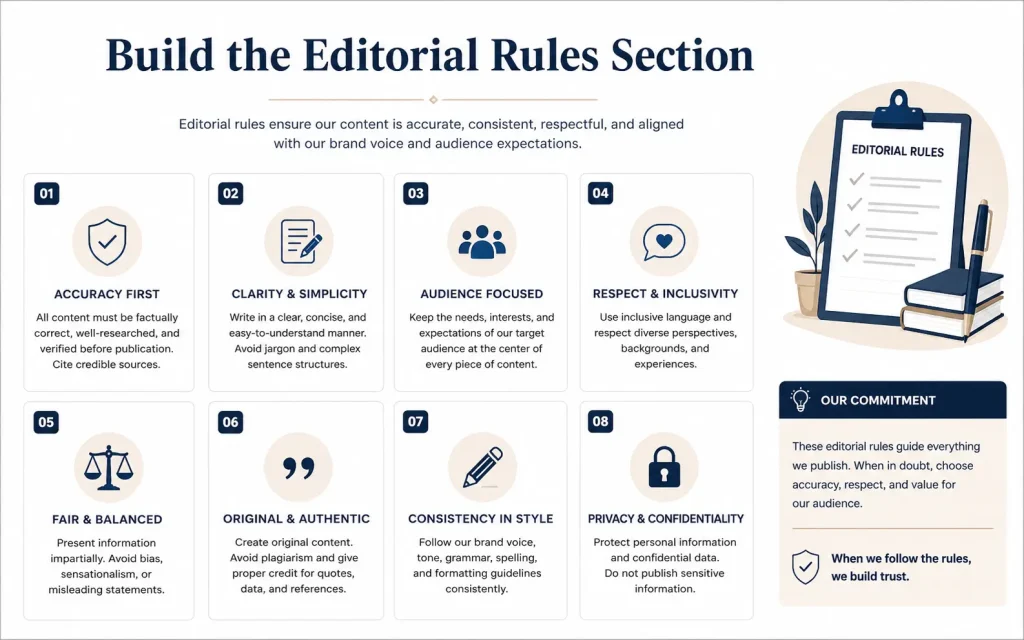
A voice and tone guide tells people how to sound. An editorial rules section tells people how to handle the mechanical decisions they will face every single day.
Please cover the following areas in detail:
- Capitalization: When do we use title case vs. sentence case for headings and subheadings? Are there any specific terms, product names, or phrases that always get capitalized.
- Punctuation: Do we use the Oxford comma How do we handle em dashes, en dashes, and hyphens? What is our policy on exclamation points.
- Links and references: How do we handle external links in body copy? Do we reference other articles or resources and if so, how.
- Paragraph length: What is the ideal paragraph length for our content? When is it acceptable to use a one-sentence paragraph.
- Contractions: Do we use contractions, and if so, how freely.
- Abbreviations and acronyms: How do we handle acronyms on first use? Are there any abbreviations we always use or always avoid.
- Formatting in body copy: When do we use bold text? When do we use italic text? Do we use both, and for what purposes.
- Do list: At least twelve specific things writers should always do in our content, with a one-sentence explanation for each.
Do not list At least twelve specific things writers should never do in our content, with a one-sentence explanation for each.
Step 6: Build a Channel-by-Channel Tone Breakdown
A good style guide documents these variations explicitly. It tells writers: here is our core voice, and here is how it adapts depending on where we are publishing.
Use this prompt to build that section:
- Long-form blog posts and articles
- Social media (break down by platform if relevant: LinkedIn, Twitter/X, Instagram)
- Email newsletters
- Product descriptions or landing pages
- Video scripts or podcast show notes (if applicable)
- Customer support communications
For each channel, include:
- Tone adjustment from core voice (e.g., slightly more formal, much more concise)
- Ideal length or format notes
- One example of an on-brand opening line for that channel
- One example of what not to do on that channel
This section transforms your style guide from a generic writing document into something writers can actually use moment to moment.
Step 7: Use ChatGPT for Design System Style Guides
If you are a designer or part of a product team, ChatGPT can help you document the written portions of your design system, which is often the part that takes the longest and gets done last.
Design principles
For each principle:
- Give it a short, memorable name (two to four words)
- Write a two-sentence description of what it means
- Write one concrete example of this principle in action
- Write one example of what violating this principle would look like
Color palette documentation
Once you have your colors defined in your design tool, use ChatGPT to write the documentation:
For each color, write:
- A one-sentence description of its role and personality
- Primary use cases (where it should appear)
- Secondary use cases (where it can appear sparingly)
- Combinations to avoid (for contrast or aesthetic reasons)
- Any accessibility considerations (contrast ratios, use on dark vs. light backgrounds)
Accessibility guidelines
A written accessibility checklist in your style guide gives your team a quick reference for compliance:
For each item on the checklist:
- State the requirement clearly
- Explain why it matters in one sentence
- Give a concrete example of compliance and non-compliance
Organize the checklist into sections: visual design, interactive components, content and copy, navigation, and forms.
Typography documentation
Write documentation for our typography system based on the following type scale: [paste your type scale].
For each type style (display, heading levels, body, caption, label, etc:
- Describe its purpose and role
- When to use it
- When not to use it
- Any pairing recommendations or restrictions
Also write a section on general typographic principles for our system: line length, line height, spacing, and when to use bold or italic within body copy.
Step 8: Set Up a ChatGPT Project to Enforce Your Style Guide
ChatGPT’s Projects feature lets you upload documents as persistent files and write custom instructions that apply to every conversation in that project.
Here is how to set it up:
- Step one: Save your completed style guide as a clearly formatted document. A Google Doc, Notion page, or PDF all work. Name it something obvious like “Brand Style Guide” or “Editorial Standards.”
- Step two: Open ChatGPT and create a new Project. Give it a clear name, something like “Content Editing” or “Blog Drafts.”
- Step three: Upload your style guide as a Project file. You can drag and drop it directly into the project files section.
- Step four: Write your Project Instructions. These are the standing instructions ChatGPT follows in every conversation within this project.
In this project, I am working on content for [your brand or publication name]. My style guide is uploaded as a project file. Please reference it in every response.
Step 9: Use ChatGPT to Build a Style Guide from Scratch (When You Have No Existing Content)
Everything above assumes you have existing content to analyze. But what if you are starting completely fresh.
Start with a brand personality exercise:
- Suggest five personality traits that could define our brand voice. For each trait, explain what it means in practice, give an example of a sentence that embodies it, and give an example of a sentence that violates it.
- Suggest three brand voice archetypes from the following list that could fit our brand, and explain why each might work: The Expert, The Guide, The Friend, The Challenger, The Storyteller, The Innovator. Pick the one you recommend most strongly and explain your reasoning.
- Generate a three-sentence brand voice statement that captures the essence of how we communicate.
From there, follow the same steps as above: use the personality traits and archetypes to generate editorial rules, a do and do
Step 10: Keep Your Style Guide Alive
A style guide is not a one-time document. It is a living resource that needs to grow and adapt as your brand evolves. One of the most common style guide failures is that someone builds a great guide, files it away.
ChatGPT makes maintenance much easier. Here is how to use it on an ongoing basis:
When your brand tone shifts, feed ChatGPT three to five new pieces of writing that represent the new direction and ask it to identify what has changed versus your current guide. Then update the relevant sections.
When you launch a new product, channel, or market segment, ask ChatGPT to suggest what additions or modifications the style guide needs to accommodate it.
When a team member consistently writes in a slightly different way that actually works better, do not correct it automatically. Analyze whether it represents an evolution of your voice that should be documented. Ask ChatGPT to help you articulate the new rule.
Common Mistakes to Avoid
Skipping the do-not list. The do-not list is often more useful than the do list. Writers learn faster from concrete prohibitions than from abstract ideals. “Do not use passive voice in the opening paragraph” is more actionable than “write in an active, engaging style.” Make the do-not list specific, honest, and long.
Not testing the guide before deploying it. Before you share your style guide with your team, test it. Write one short piece using only the guide’s rules. Give it to someone else and ask them to write something using only the guide’s rules. See where the output matches your vision and where it misses. Revise accordingly.
Making it too long. A style guide that nobody reads is worse than no style guide at all. Aim for clarity and scannability over comprehensiveness. Use clear headings, short sections, and lots of examples. If your guide is over twenty pages, create a two-page quick-reference summary.
Never updating it. Set a recurring calendar reminder every quarter to review the guide. Brands evolve. Voice shifts. New channels emerge. The guide needs to keep up.
Quick-Reference Prompt Templates
The following prompts can help you create maintain and improve your style guide with ChatGPT. Save them for future use and customize them according to your brand requirements.
| Purpose | Prompt |
|---|---|
| Analyze Voice | Analyze this writing sample and create a detailed style guide based on voice tone structure and vocabulary. |
| Editorial Rules | Create editorial guidelines based on this voice guide including grammar punctuation and formatting rules. |
| Channel Guide | Adapt our brand voice for blog posts social media email newsletters and product pages. |
| Design Principles | Generate design principles with descriptions examples and best practices. |
| Accessibility | Create an accessibility checklist for our design system and content standards. |
| Project Setup | Review drafts against the attached style guide and suggest improvements. |
| Build From Scratch | Help define a new brand voice personality traits and communication style. |
| Update Guide | Compare recent content with our current style guide and recommend updates. |
Ye article mein zyada neat aur reader-friendly lagega.
Who Should Use ChatGPT for Style Guides
This workflow is useful for a wide range of people, not just large brands or agencies.
Freelance writers and bloggers can use it to build a personal voice guide to share with editors or virtual assistants. Having a documented guide means fewer revision rounds and more consistent output, even on days when you are not at your best.
Content managers and editors can use it to build team-wide editorial standards without spending weeks drafting rules from scratch. Upload the guide to a shared drive and link to it in every brief.
Marketing teams at growing companies can use it to scale their content production without losing consistency. As you bring on more writers, the style guide becomes the single source of truth that keeps everything aligned.
Frequently Asked Questions
What Is a Style Guide in ChatGPT?
A style guide in ChatGPT is a document that defines your brand voice tone formatting preferences grammar rules and content standards. It helps ensure every piece of content follows a consistent style and accurately reflects your brand identity.
Can ChatGPT Create a Style Guide From Existing Content?
Yes. ChatGPT can analyze blog posts articles emails social media content and other materials to identify writing patterns tone vocabulary and formatting preferences. It can then turn those insights into a structured style guide.
How Do I Make ChatGPT Follow a Style Guide Consistently?
To make ChatGPT follow a style guide consistently provide clear instructions examples of your preferred writing style and specific content rules. Uploading the guide to a ChatGPT Project can further improve consistency across multiple conversations.
Is ChatGPT Useful for Brand Style Guides?
Absolutely. ChatGPT can help businesses create brand voice guidelines editorial standards messaging frameworks and content rules that keep marketing materials professional consistent and aligned with brand goals.
What Should Be Included in a ChatGPT Style Guide?
A comprehensive ChatGPT style guide should include brand voice and tone target audience writing objectives grammar and punctuation rules formatting standards SEO requirements preferred terminology content examples and a list of words or practices to avoid.
Final Thoughts
Learning how to use ChatGPT for style guides can transform the way you create manage and scale content. Instead of spending countless hours documenting voice tone formatting rules and brand standards manually you can use ChatGPT to analyze patterns organize information and build a structured guide in a fraction of the time.
However the most effective style guides are never created by AI alone. ChatGPT works best as a collaborative tool that helps uncover insights streamline documentation and improve consistency while human expertise provides the strategic direction creativity and brand understanding that technology cannot replace.
Whether you are a solo blogger freelance writer content manager designer or marketing team leader a well-crafted style guide can improve content quality strengthen brand identity and ensure consistency across every channel. Start with your best content refine the results carefully and continue updating your guide as your brand evolves. When used correctly ChatGPT can become one of the most valuable tools for building and maintaining a professional style guide that grows with your business.
You May Also Like It:
How to Meet Your Spirit Guides
How to Add Guides in Photoshop
How to Hide Guides in Photoshop
